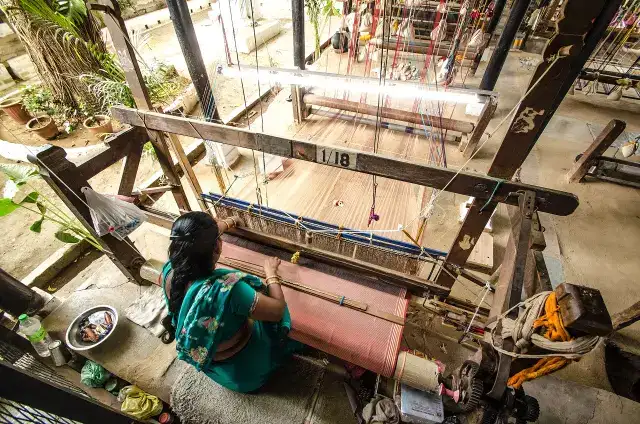
State government scheme
Handloom Rebate Scheme
- Nodal department
- Industries and Mines Department [1]
- Where
- Gujarat
- Subsidy / cost support
What is Handloom Rebate Scheme?
The scheme aims to enhance market competitiveness for Gujarat's handloom cooperatives and apex societies while directly benefiting artisans. [1]
Key figures from the official source
10%
Government support rate
Share of your cost the government covers as subsidy, not cash in hand.
Source quote
It offers 10% special rebate for 120 festival days; Additional 5-15% permanent rebates for regular sales; Enhanced 20% rebates for women-led cooper...[1]
Subsidy %, limits and fees, cited to the official notification, are on the full scheme page: open the full scheme page.
What are the benefits of Handloom Rebate Scheme?
- Festival Rebate: 10% on sales for 120 days; 20% for women-led cooperatives. Permanent Rebates: 5% standard; 15% for women-led groups. Additional Support: e-Voucher toolkit distribution; Priority for SC/ST/BPL artisans. [1]
- The "Handloom Rebate Scheme" by the Commissioner of Cottage and Rural Industries, Government of Gujarat, provides financial rebates to boost sales of handloom products during festivals [1]
- It offers 10% special rebate for 120 festival days; Additional 5-15% permanent rebates for regular sales; Enhanced 20% rebates for women-led cooperatives [1]
Who can apply for Handloom Rebate Scheme?
How to apply for Handloom Rebate Scheme?
- Visit the eKutir portal. In the right pane of the landing page, click "For New Individual Registration, click Here " [1]
- On the registration page, fill in all mandatory fields (marked with an asterisk): Full Name (in English), Aadhaar Card Number, Gender, Date of Birth, Mobile Number, E-mail, Password (confirm the password by typing it again). Fill in the Captcha Code, and click "Register" [1]
- A confirmation pop-up will display the entered name, mobile number, and other details. If all the details are correct, click "Confirm" to proceed. If any information is incorrect, click "Cancel", make the necessary corrections, and then click "Register" again [1]
- Upon successful registration, the User ID and Password will be sent to your registered mobile number via SMS. If an email address has been provided, the credentials will also be sent via email [1]
- Upon first login, the user must complete the "User Profile" by providing personal and organisational details. All fields marked with an asterisk are mandatory. Some fields will already be pre-filled based on the information provided during registration [1]
- After logging in and completing the profile, the system displays schemes relevant to the user on the homepage. Click on the name of the scheme that you intend to apply for. You will be redirected to the online application form of the scheme. The application form is divided into multiple tabs [1]
- In the form, fill in all the mandatory fields and upload all the mandatory documents in the specified format and size. For each uploaded document, the corresponding document number must be entered wherever required. Click the “Save & Next” button to proceed to the subsequent tabs [1]
- Carefully review all the information provided and the documents uploaded. Make any necessary corrections. Acknowledge and agree to the terms and conditions, declaration, and privacy policy (if any) by ticking the designated checkbox [1]
- Clicking “Save & Next” in the last tab of the application form generates an application number, which is displayed on the screen. The applicant must record this number for future reference. If the applicant wishes to print the application, they may click the “Print Application” button [1]
- Visit the eKutir portal. In the right pane of the landing page (in the "Login to Portal" section), provide your User ID, Password, and the Captcha Code. Then click "Login" [1]
What documents are required for Handloom Rebate Scheme?
Want help applying?
Tell us what you need. Our desk checks this scheme against your details and guides you through the paperwork.
Get help with this schemeOfficial sources
- myscheme.gov.in/schemes/hrs-g2Official source
Compiled from the sources above; last updated 2026-10-29. Rules change: check the official portal before you apply.